

Run DeepSeek Harness on Sozdai AI
DeepSeek's official agent framework with a backend you can pay for: same V4 models, plus Claude and Kimi. Three steps, all in the web UI.
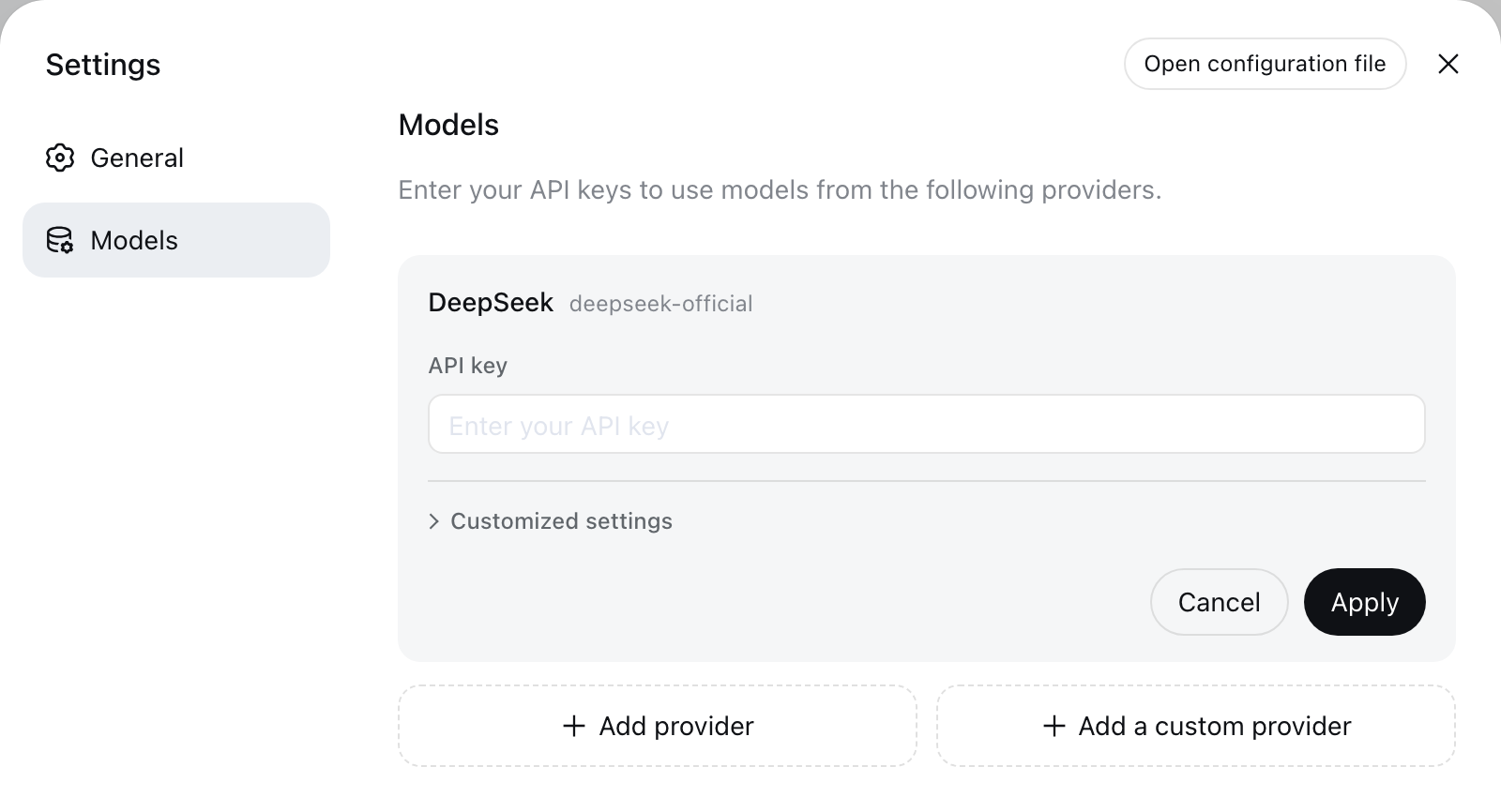
Screenshot: official DeepSeek Harness docs (MIT)
DeepSeek's own agent framework, powered by an API you can actually pay for.
No config files: add a provider in Settings, models auto-load via Fetch.
Same key also unlocks Claude, Kimi, Qwen and GPT in the model picker.
One balance, no subscriptions, prices from 24 ₽ per 1M tokens.
Official DeepSeek API vs Sozdai
| Official API | Via Sozdai | |
|---|---|---|
| Access from Russia | API returns 403 for Russian IPs | Direct access |
| Payment | No Russian cards (CNY/foreign cards) | Russian cards, rubles |
| Models | DeepSeek only | DeepSeek V4 + Claude, Kimi, Qwen, GPT |
| Account | DeepSeek account required | Only a Sozdai account |
Set up in 3 steps
Everything happens in the web UI — no files to edit.
- 1
Create a Sozdai API key
Sign up and create a key. Copy the whole key (starts with sk-corr-) — you will paste it in step 3.
- 2
Launch DeepSeek Harness
Requires Node.js. One command — the web UI opens in your browser (127.0.0.1:3080):
bashnpx @deepseek-ai/dsh web - 3
Add Sozdai as a custom provider
Open Settings → Models → Add a custom provider, and fill the form exactly like this:
Provider ID sozdai Display name Sozdai AI Base URL https://api.foxwire.ai/v1 API protocol openai-completions API key your key from step 1 (sk-corr-…) 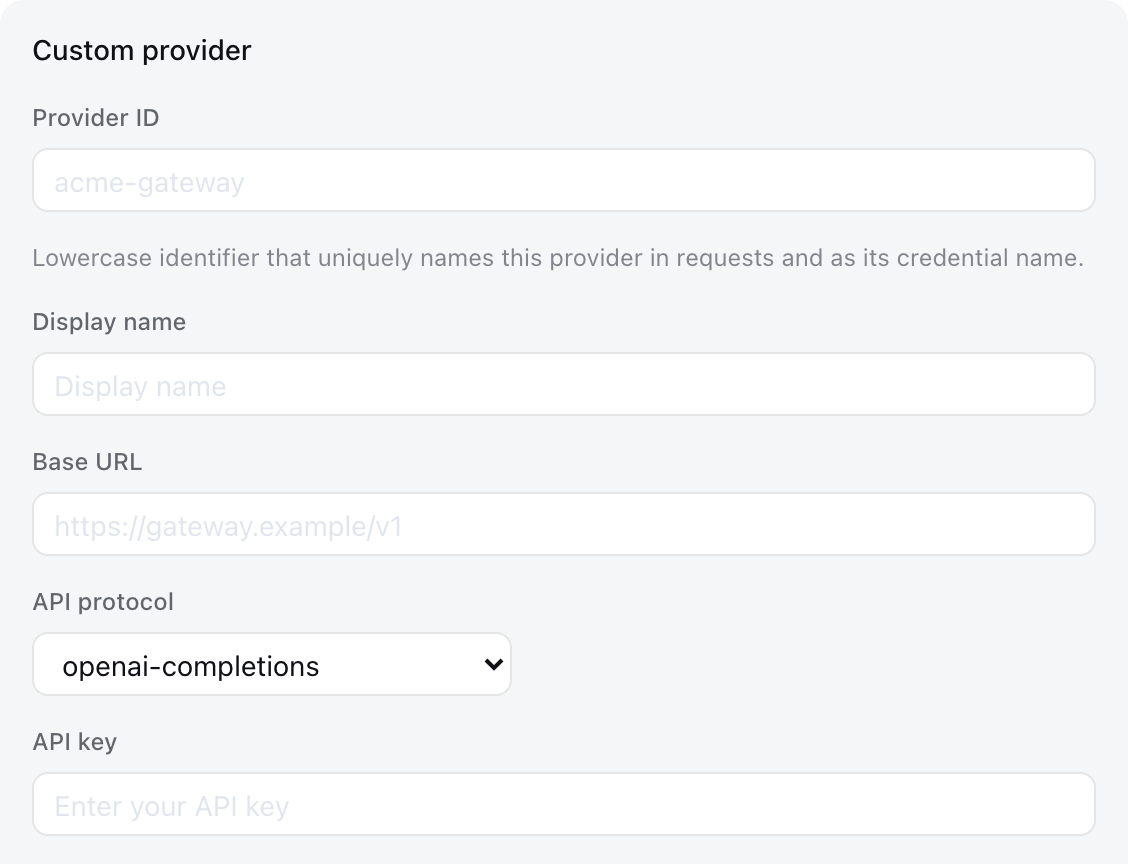
Screenshot: official DeepSeek Harness docs (MIT)
Then press “Fetch available models” — the model list loads automatically. Tick the ones you want (e.g. deepseek-v4-flash) and Save. Done.
Best models for DeepSeek Harness
Prices per 1M input tokens. All appear after “Fetch available models”.
| Model id | Best for | Context | Input / 1M |
|---|---|---|---|
| deepseek-v4-pro | Flagship reasoning | 1M | 104 ₽ |
| deepseek-v4-flash | Fast & cheap default | 1M | 34 ₽ |
| claude-sonnet-5 | Coding & agents | 1M | 480 ₽ |
| kimi-k2.6 | Agent tasks, tools | 262K | 115 ₽ |
| qwen3-coder-next | Cheap coding specialist | 262K | 24 ₽ |
llm-pi-ai:
  providers:
    sozdai:
      api: openai-completions
      baseURL: https://api.foxwire.ai/v1
      models:
        - id: gemini-3.7-flash
input: [text, image]FAQ
DeepSeek blocks Russian IPs and doesn't accept Russian cards. Sozdai provides direct programmatic access to the same V4 models with ruble billing.
No — only a Sozdai account and API key.
Yes — top up your balance and pay per token, no subscription.
Check the Base URL ends with /v1 and the key starts with sk-corr-. You can also type model ids by hand — use the table above.
26 models work with the same key: Claude, GPT, Gemini, Grok, Kimi, Qwen, GLM. Select them in the same provider after Fetch.
Per the official docs, hand-entered models are text-only by default. Add input: [text, image] for that model in $DSH_HOME/settings.yaml — example below the model table.
Also coding in the terminal? Same key powers Claude Code / OpenCode
Start in 3 minutes
Create a key, launch the harness, add the provider. Pay only for what you use.